Gym and studio software in Quebec
Your schedule, your members and your payments, finally in one place.
I set up a complete app for your studio: class schedule, online booking, passes and memberships, signed waivers, front-desk check-in and instructor pay. Your members book and pay from their phone, in an app with your name.
Right now, no sign-up. A made-up business.
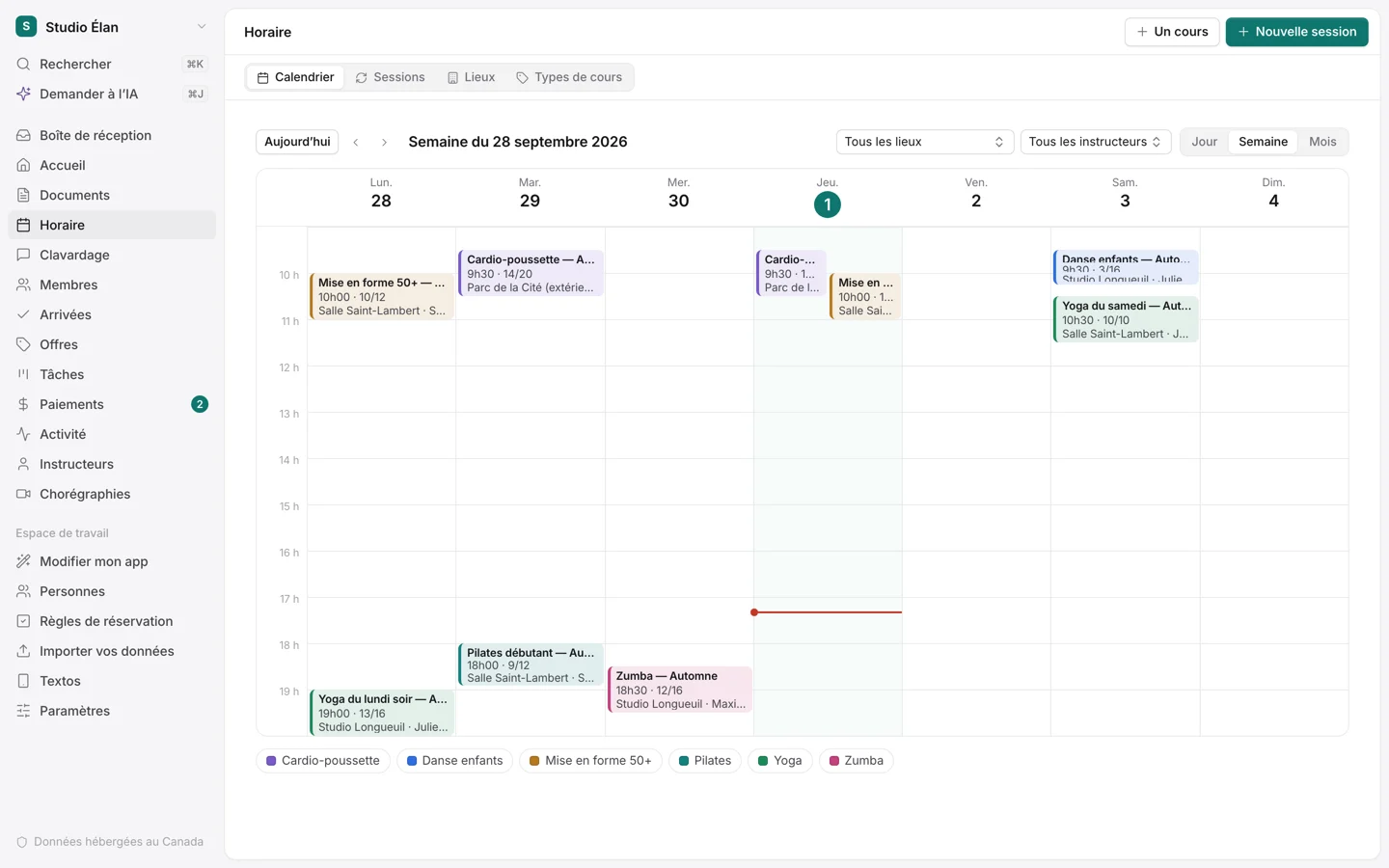
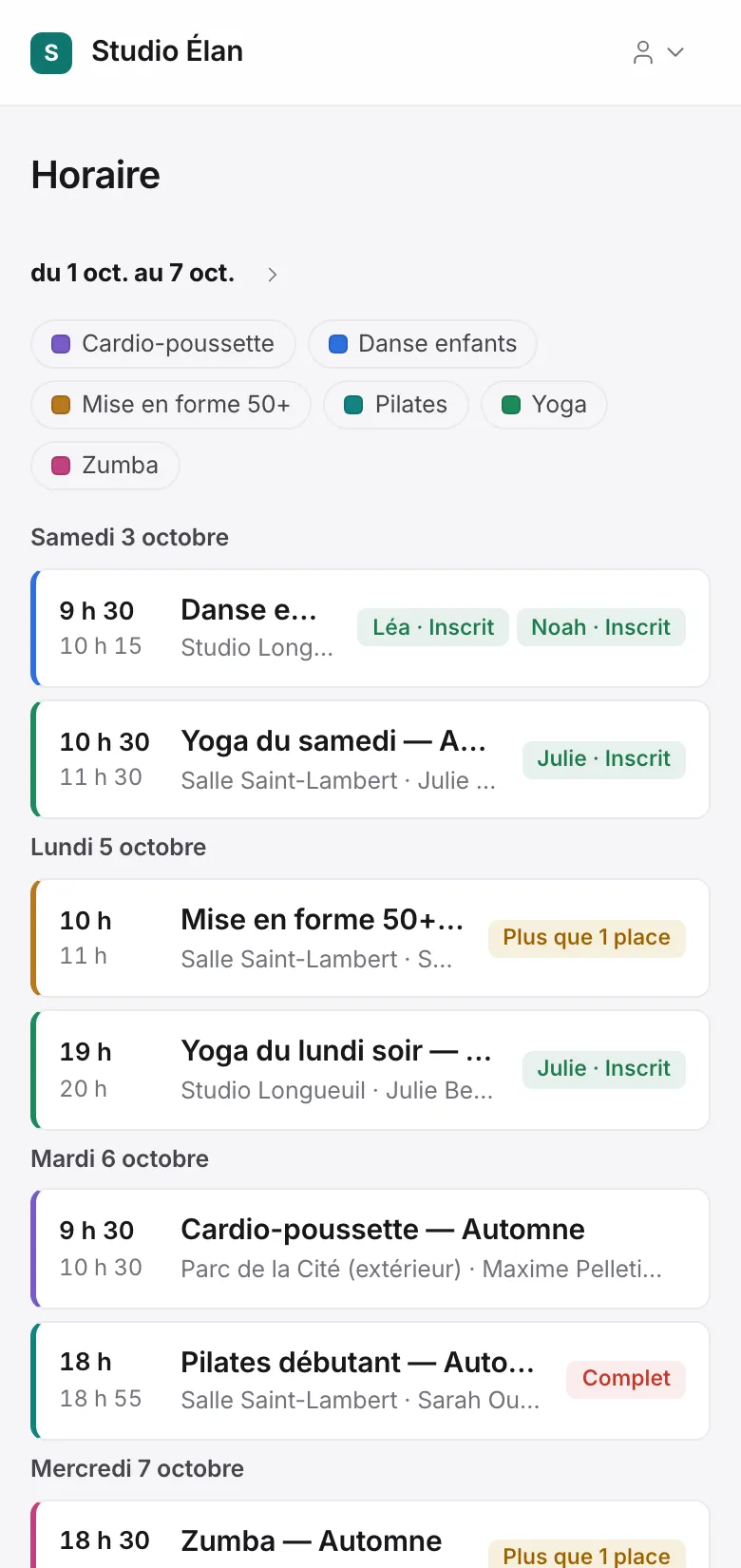
What you still do by hand
Sign-ups come in through Messenger, email and the front desk.
Your members sign up and pay online, from their phone.
Paper waivers sit in a binder.
Each member signs their waiver online before their first class.
You count spots by hand and turn people away at the last minute.
Spots count themselves, with a waiting list that moves on its own.
Instructor pay is done in Excel at the end of the month.
Pay is worked out from the classes taught, and you see what each session brings in.
Everything it takes to run a studio
One app for the front desk, the instructors and the office. Nothing to install: it opens in the browser, on a computer or a phone.
Class schedule
Multi-week sessions, single classes, rooms and instructors. Holidays and closures in one click.
Online booking
Spots counted, waiting list, cancellation up to the time you choose, make-up credits.
Passes, sessions and memberships
10-class passes, sessions paid in one or two instalments, monthly memberships, family plans.
Payments with GST and QST
Card through Stripe or Square, Interac e-Transfer, receipts with taxes, reminders when an instalment is due.
Members and families
Waivers signed online, emergency contacts, health notes, a parent booking for their children.
Front-desk check-in
Who’s expected at the next class: one tap, or a QR code scanned with the phone.
Instructors and pay
Pay per class taught and what each session brings in, after pay and room rental.
Text reminders
The day before class, and right away if a class is cancelled, for members who want them.
What it looks like
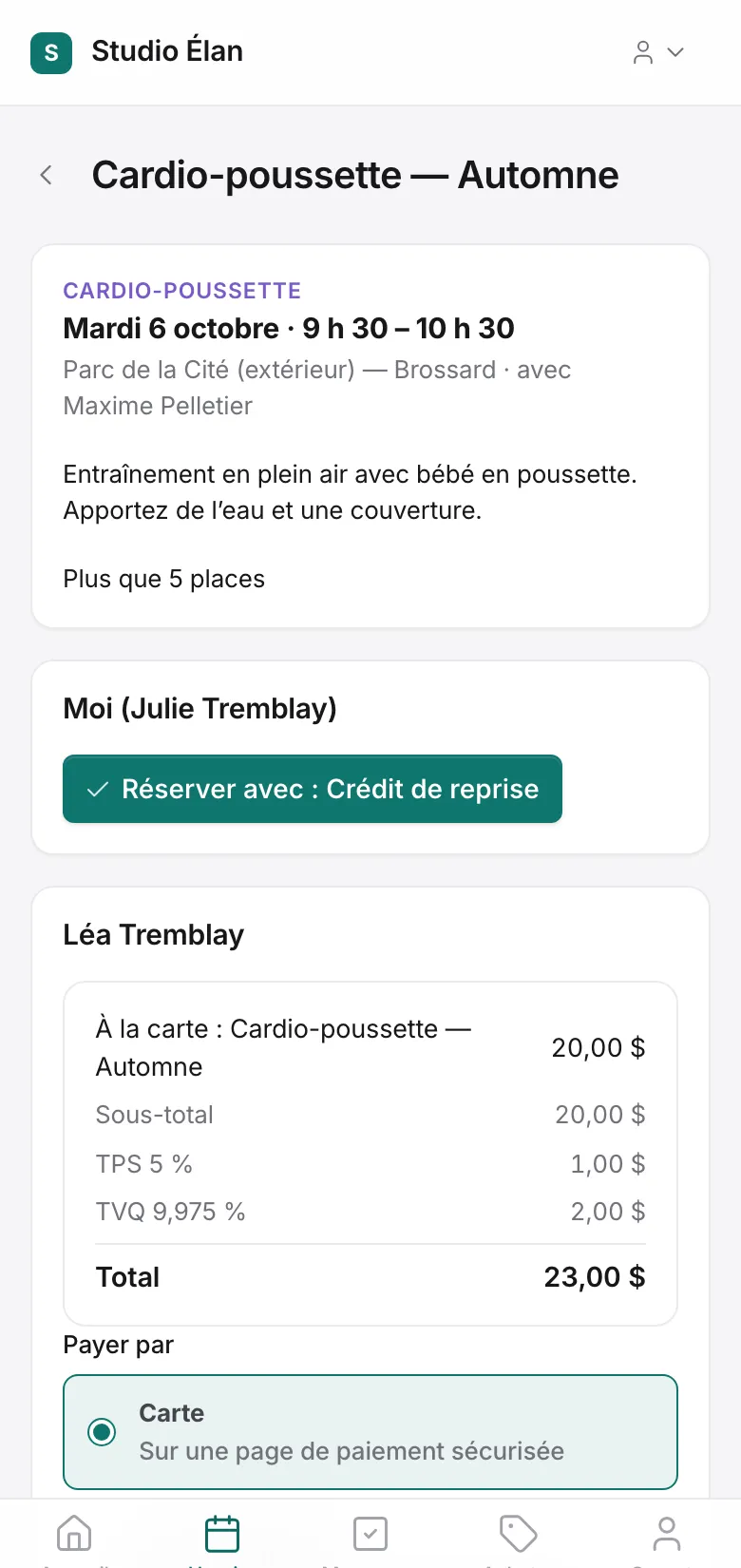
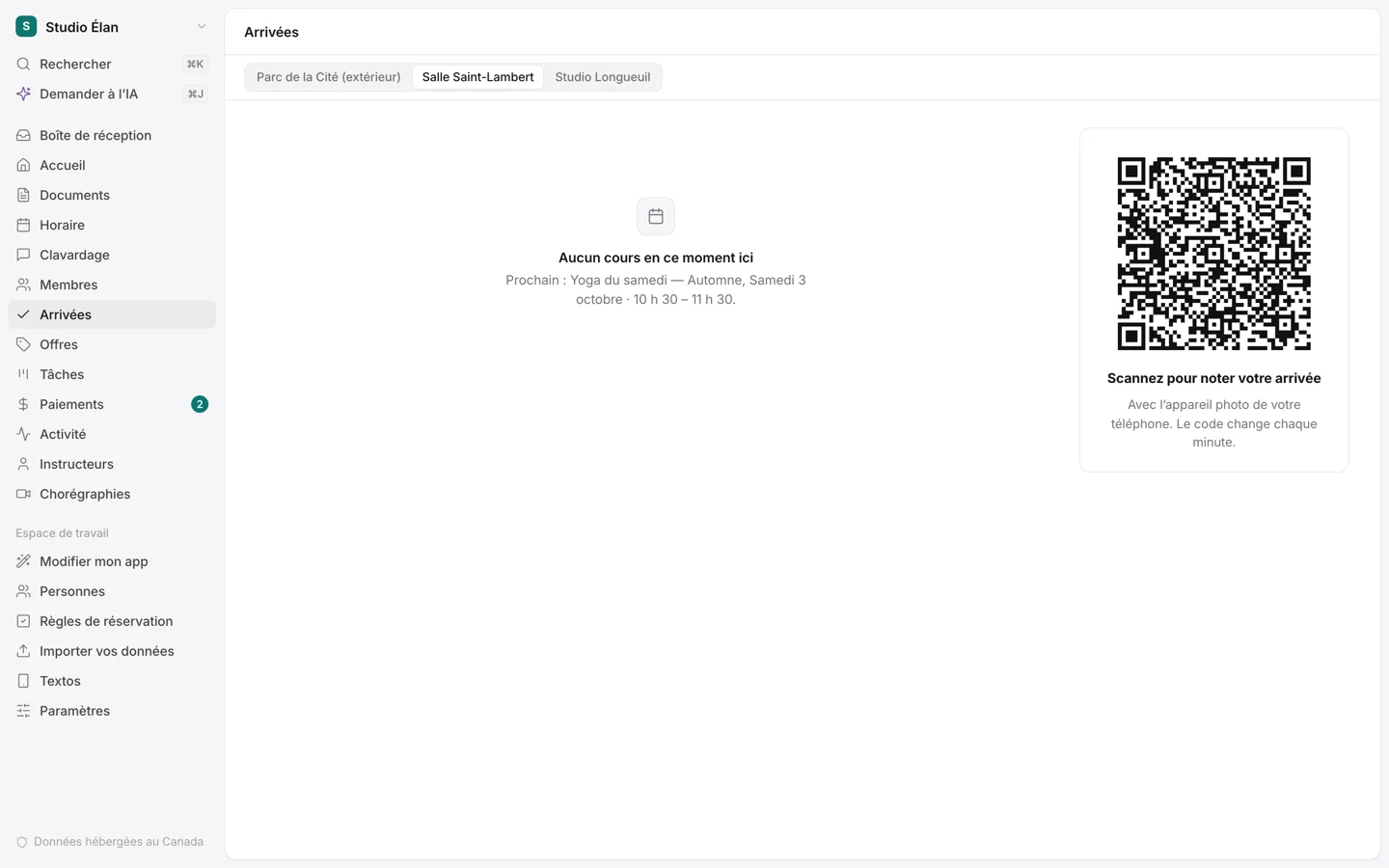
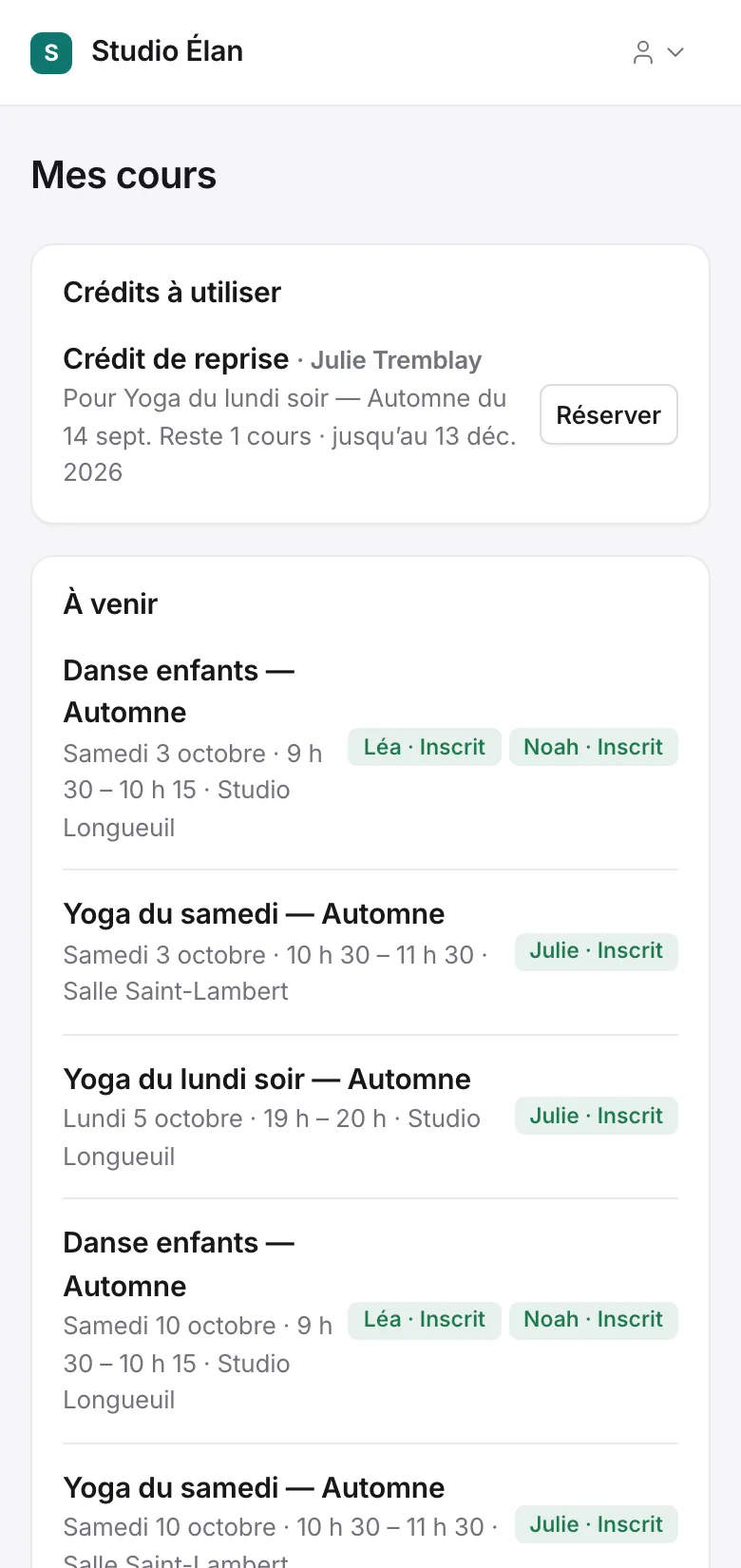
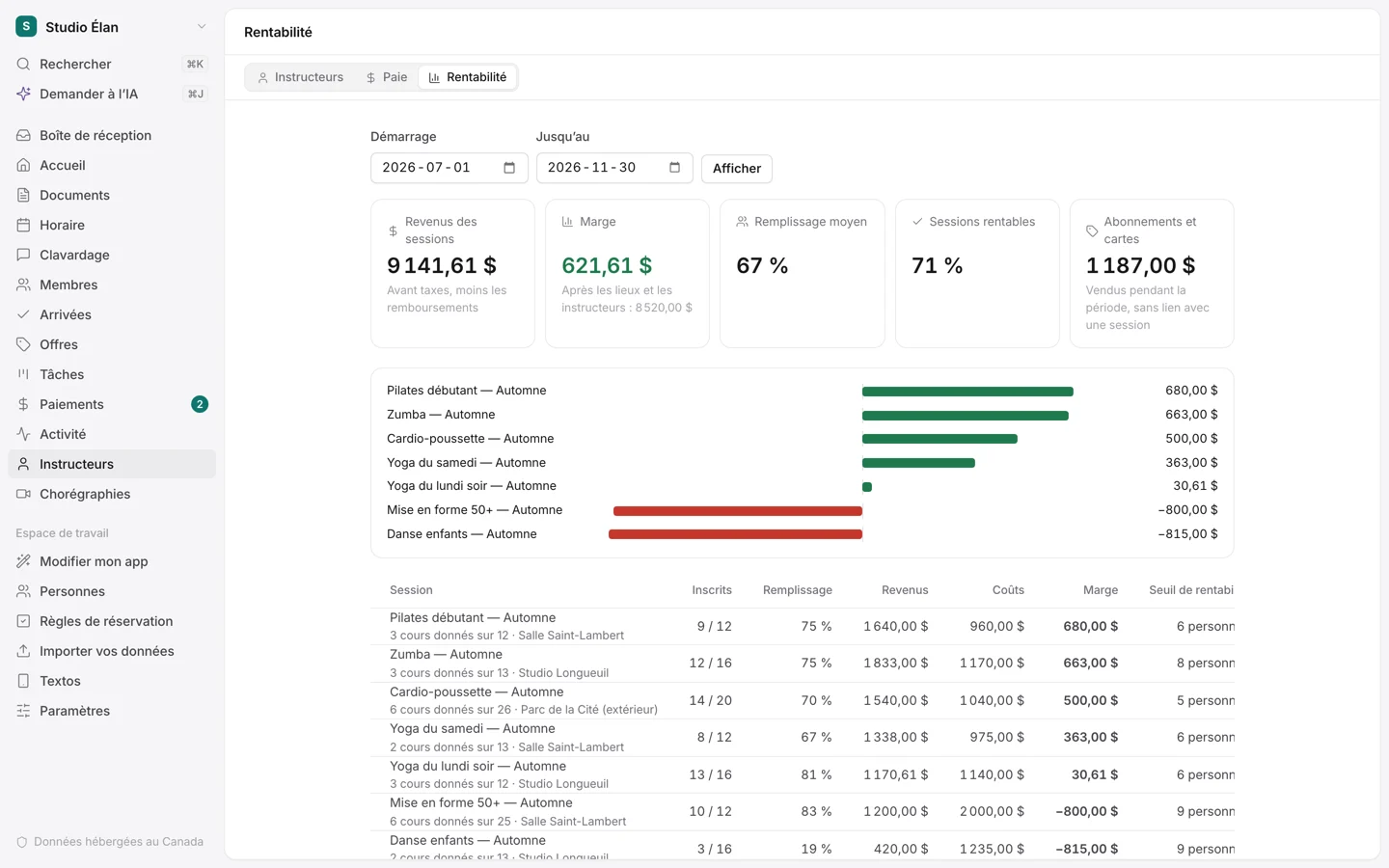
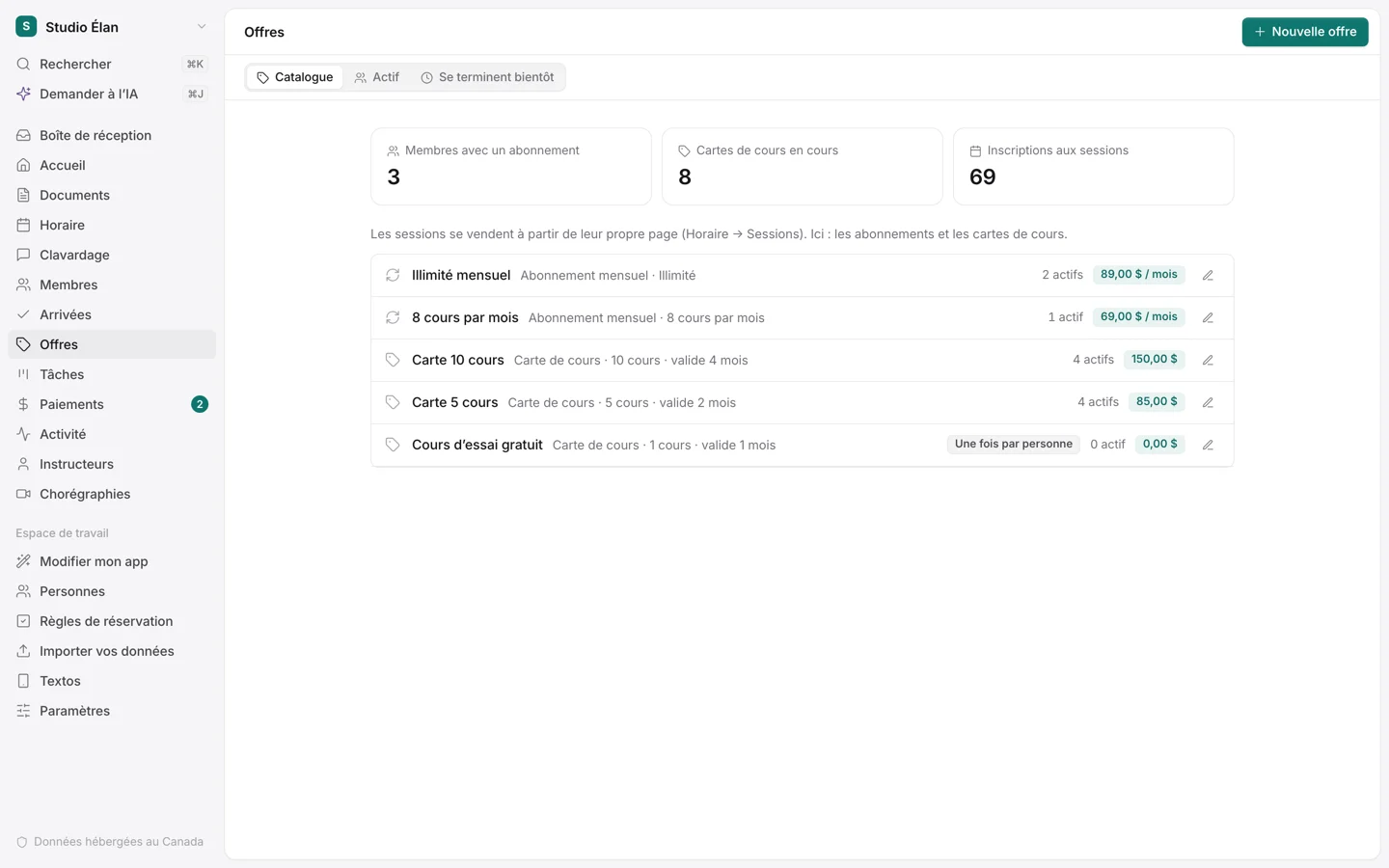
Screenshots of the demo app: the business and the people are made up.
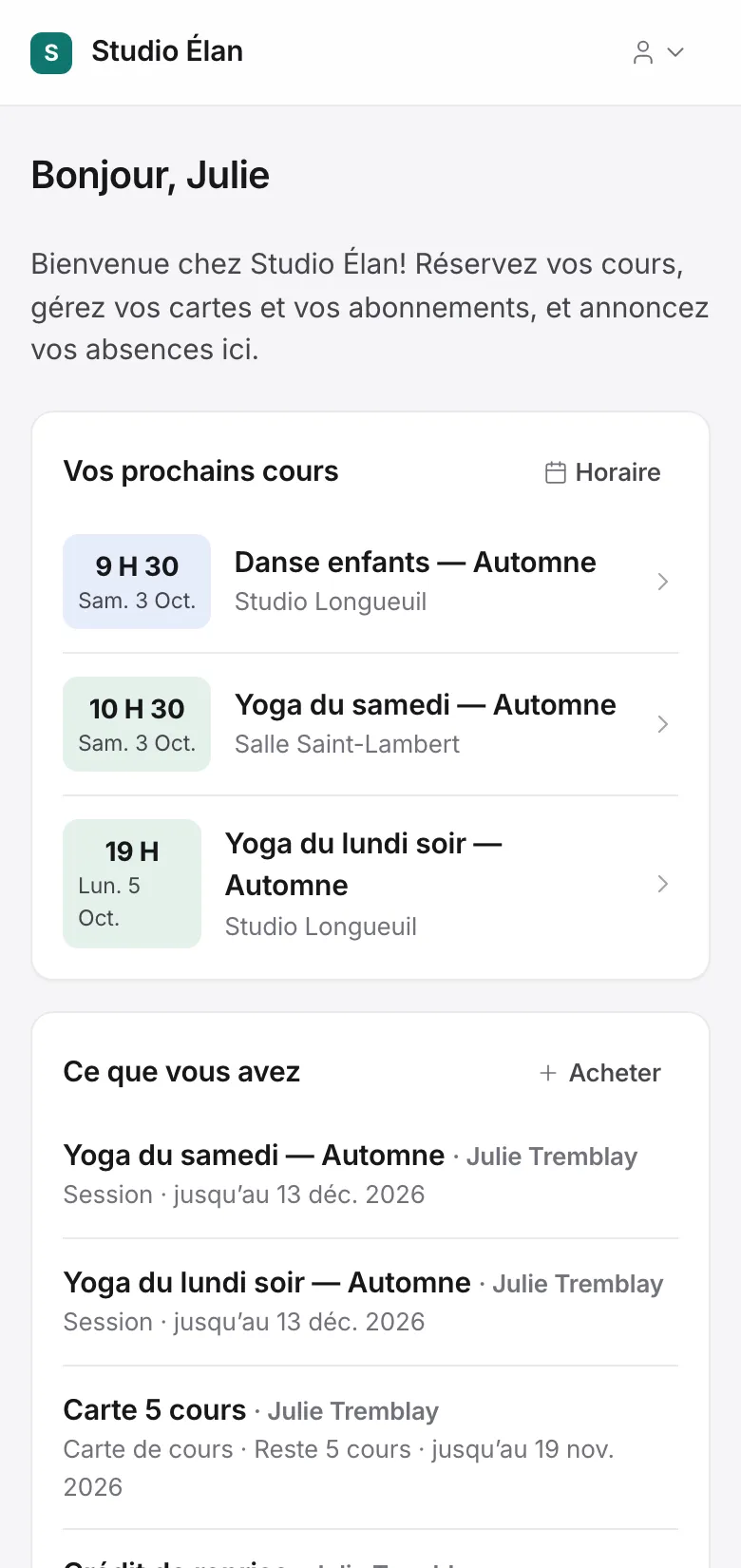
For your members: an app with your name.
Your members get their own space in your colours, which they add to their phone’s home screen like an app. No App Store, no password to remember: a link is enough.
- They book, cancel and announce absences
- They buy a pass or a membership and pay online
- They sign their waiver and find their receipts
- A parent handles their children’s bookings
How we get started
- 01
A 30-minute demo
We go through the app together with a made-up business, and you tell me what works differently for you.
- 02
I set up your app
With your name and colours, your services, your prices and your customers imported. I train your team.
- 03
It grows with you
A rule, a field, a report you’re missing: ask for it in your own words. Small changes are ready at once; bigger ones, I program for you.
Two amounts, known before we start.
A fixed price for the setup, then a monthly subscription that covers hosting, updates and your change requests. Both are set at the end of the demo, based on the size of your business.
- Hosted in Canada
- In French and English
- Your data is yours and can be exported at any time
- Tools for Quebec’s Law 25 included
- Card fees go straight to Stripe or Square, in your own account
Frequently asked questions
Can I import my current members?
Yes. Send me your list (an Excel file or an export from your current software) and I import it. Your members then get a link to activate their account.
Do my members need to download an app?
No. They open a link in their browser and can add it to their phone’s home screen, like an app, without going through the App Store.
How do I get paid?
By card, with Stripe or Square, straight into your own account. You can also accept Interac e-Transfers: the app shows you the ones to confirm.
My studio does things its own way. Will it work?
That’s the idea: the app is yours. A cancellation rule, a kind of plan, a report: you ask for it and I add it to your app only.
How long does it take to get started?
It mostly depends on your offers and the data to import. We set the launch date together at the end of the demo.
How much does it cost?
A fixed price for the setup and a monthly subscription. Both are set at the demo, based on the size of your studio, and you know them before you commit.
Let’s look at your studio.
Tell me your studio’s name and how you handle sign-ups today. We’ll pick a time for a demo together.
I reply within 2 business days.